To register to the Compare Your Footprint platform, follow these simple steps:
1. Visit our website
Go to compareyourfootprint.com/solutions to start the registration process.
2. Choose your subscription and turnover range
Select your company turnover to view pricing and hit register now.
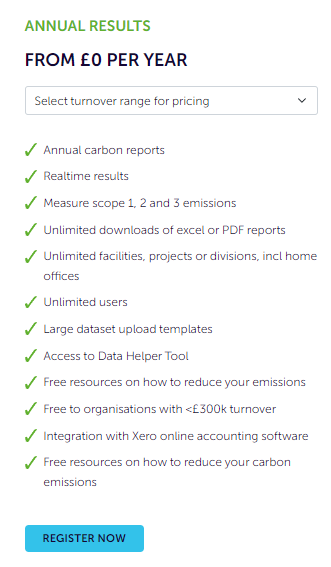
Source: Compare Your Footprint website
With an annual subscription to Compare Your Footprint you will have access to:
- One annual carbon footprint report per year
- Measuring Scopes 1, 2, and 3 data
- Thousands of different data types, including both spend data and activity data
- Unlimited data entry, locations, and users
- Resources to guide you with the process (including this Knowledge Hub)
- Integration with Xero and Sage accounting software
3. Sign up
When you are ready to register, select ‘Register Now’ and you will be taken to a registration page where you need to enter the required information before being taken to the payment page where sign-up will be complete.
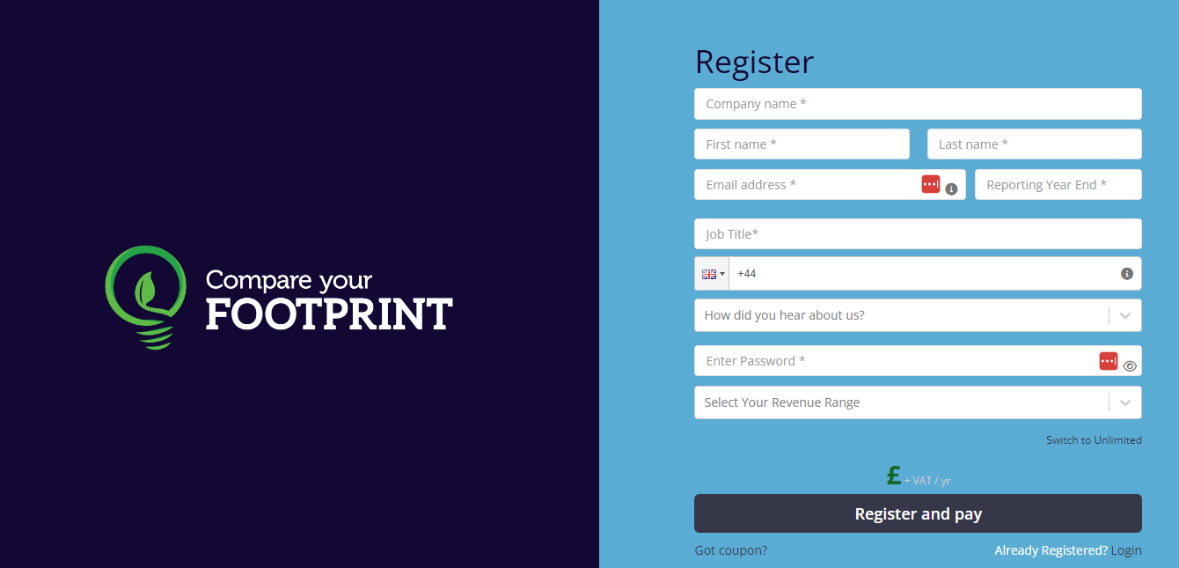
Source: Compare Your Footprint platform.
4. Discount code
If you have a discount code, you can apply this by selecting ’Got Coupon?’ and entering the code.
5. Confirm details
Review and accept the Software License Agreement and the Privacy Policy. We will send a confirmation code to your registered email to verify your identity.
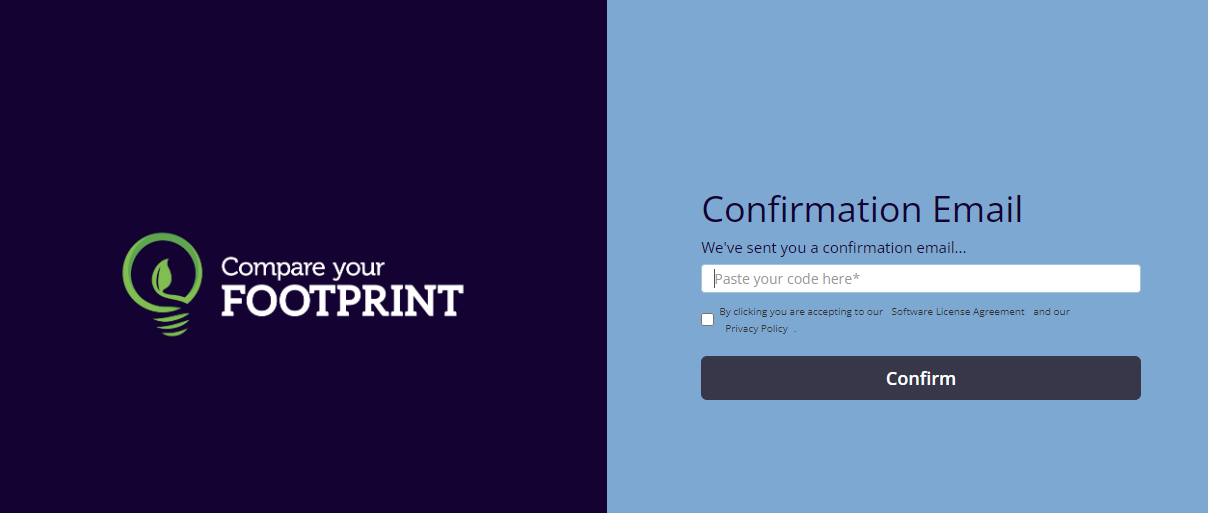
Source: Compare Your Footprint platform.
6. Billing Details
Next, fill in your billing details.
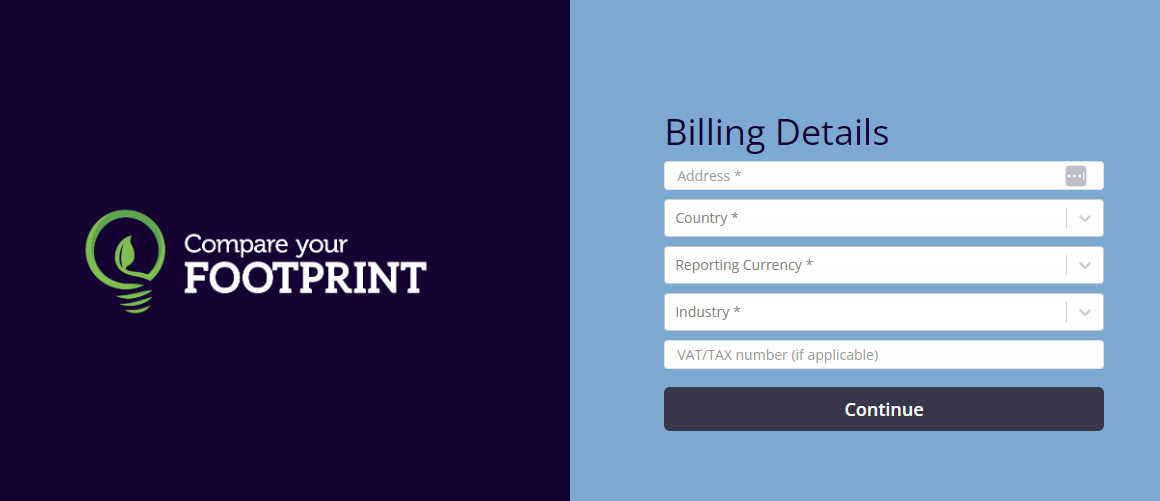
Source: Compare Your Footprint platform.
7. Confirm your order
Review and accept the terms and conditions of the Order Form.
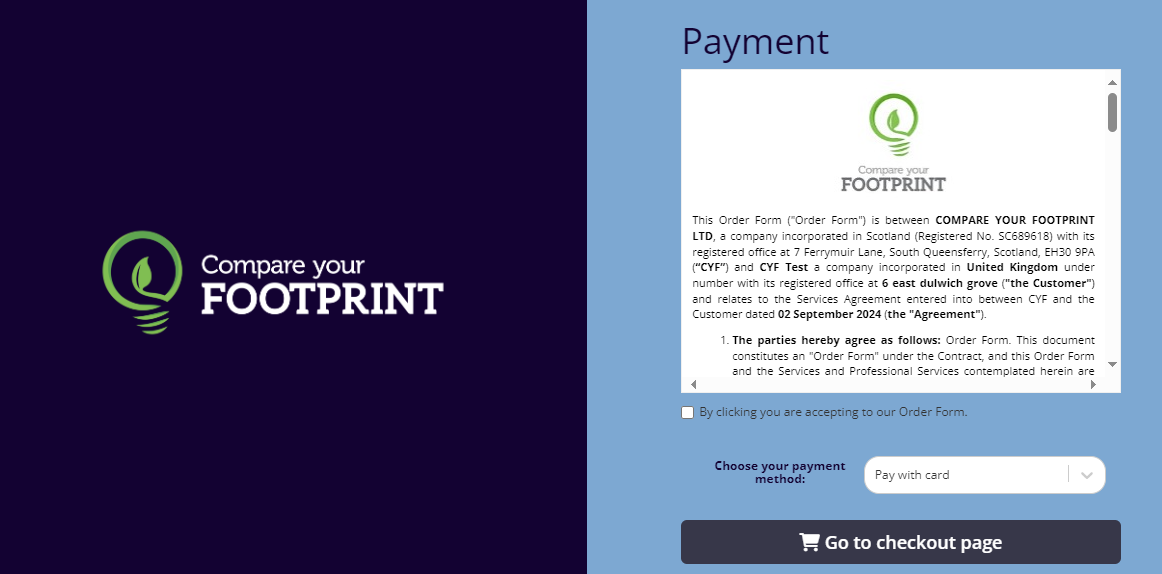
Source: Compare Your Footprint platform.
8. Make Payment
Choose your payment method, enter your company’s payment information, and you are all set!
Next up: now that you have registered, get familiar with our software by reading our Discover Our Software article.
Was this article helpful?
That’s Great!
Thank you for your feedback
Sorry! We couldn't be helpful
Thank you for your feedback
Feedback sent
We appreciate your effort and will try to fix the article